
This guide walks through the platform step by step — Catalog Search, Auction Search, and your account — using the actual screens as they work today.
Catalog coverage: 99 brands · 1,197 models · 5,509 grades · Release History maintained for 48 vehicle series. Auction data: 7,943 lots across 210 auctions. (As of Sep 2026)
How to Use Catalog Search
1
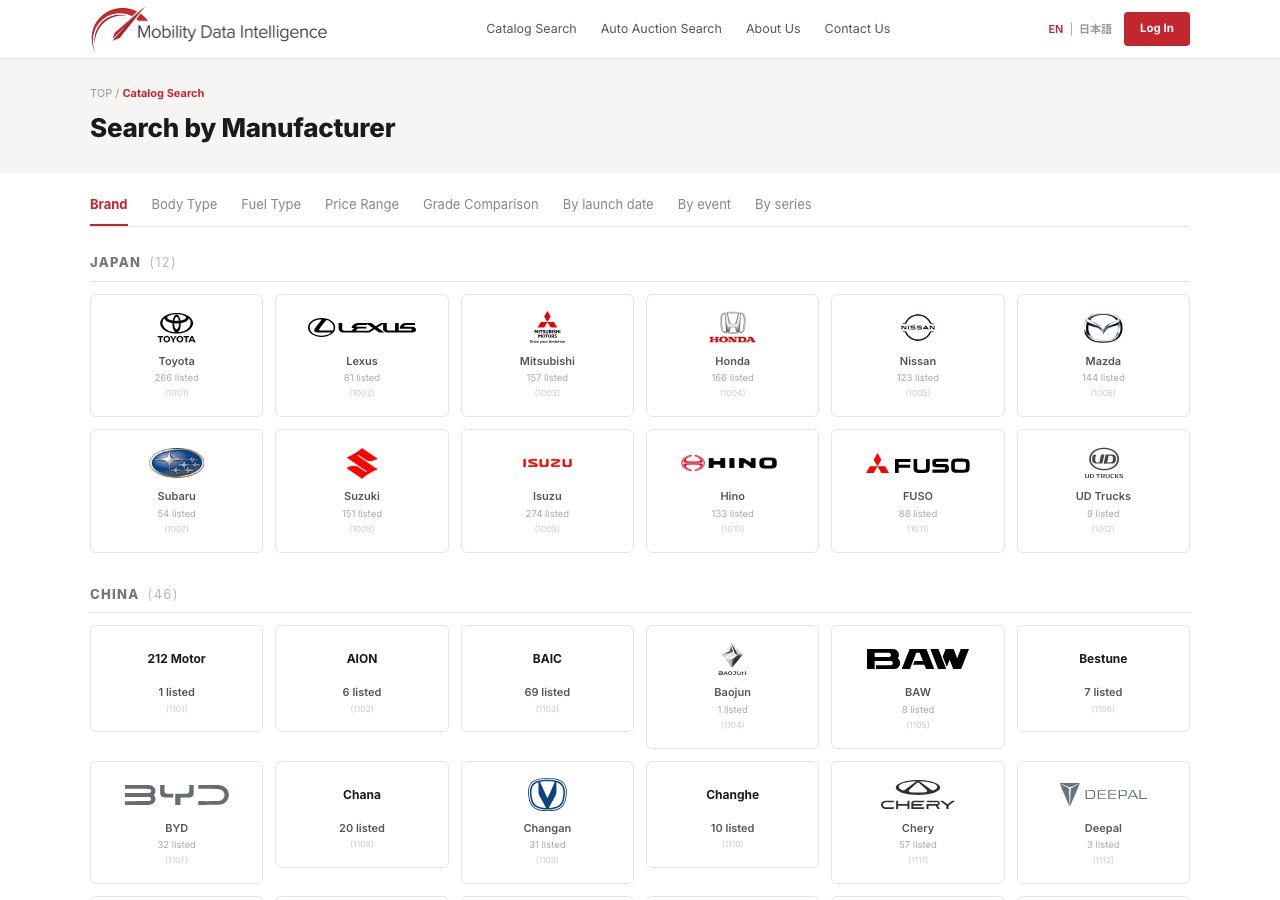
Browse by makerOpen Catalog Search from the header and find the country section, then a maker tile, to see a list of vehicle model cards. This is open to everyone, no sign-in required.
2
Quick search to a gradeUse the quick search on the top page — pick a maker, model, and price range (series and grade options appear after you sign in) — to jump straight to a grade list. Grade pages are for members; if you are not signed in, you will be guided to the login screen.
3
Check release historyOn a model's grade page, switch between the Release Date tabs to see specifications, equipment, and MSRP for each release month. (Members)
4
Compare grades side by sidePick grades and compare them side by side across basic information, engine, dimensions, color, and equipment — up to five grades at once. (Members)
How to Use Auction Search
1
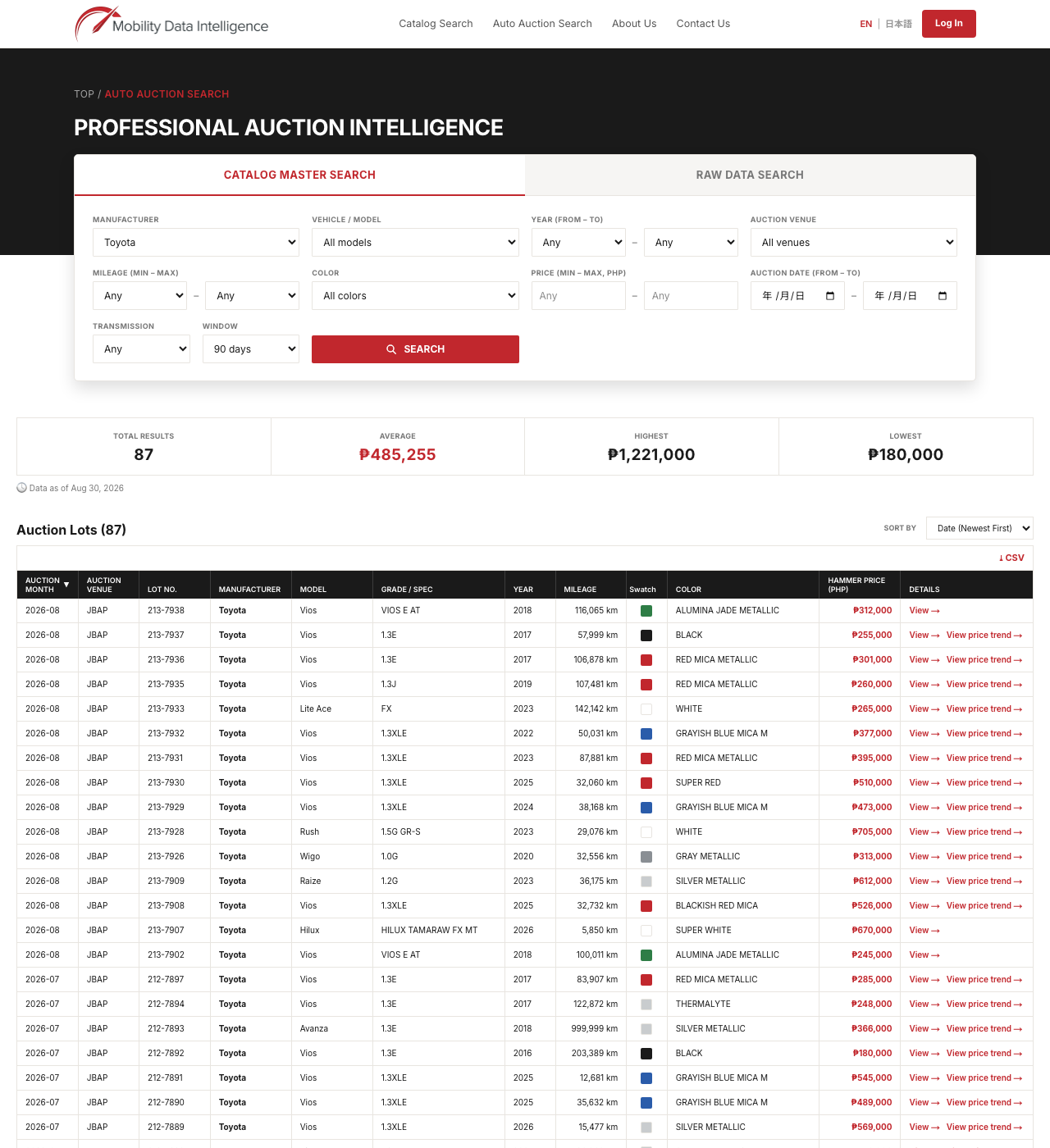
Open auction market searchOpen Auto Auction & Sealed Bidding Search from the header to search real auction market prices. This is open to everyone, no sign-in required.
2
Choose a search modeSwitch between two search modes: Catalog Master Search (search by maker and model using normalized catalog data) and Raw Data Search (search by the auction listing's original maker and model text).
3
Narrow down the resultsFilter by model year, auction venue, mileage, color, price range, auction date, and transmission (AT/MT), plus a time window (30 / 90 / 180 / 365 days, or all time).
4
Read the statistics summaryFour summary tiles — lot count, average, highest, and lowest price — show the market at a glance. A note appears when a sample has fewer than three lots, since the figures are only a reference at that size.
5
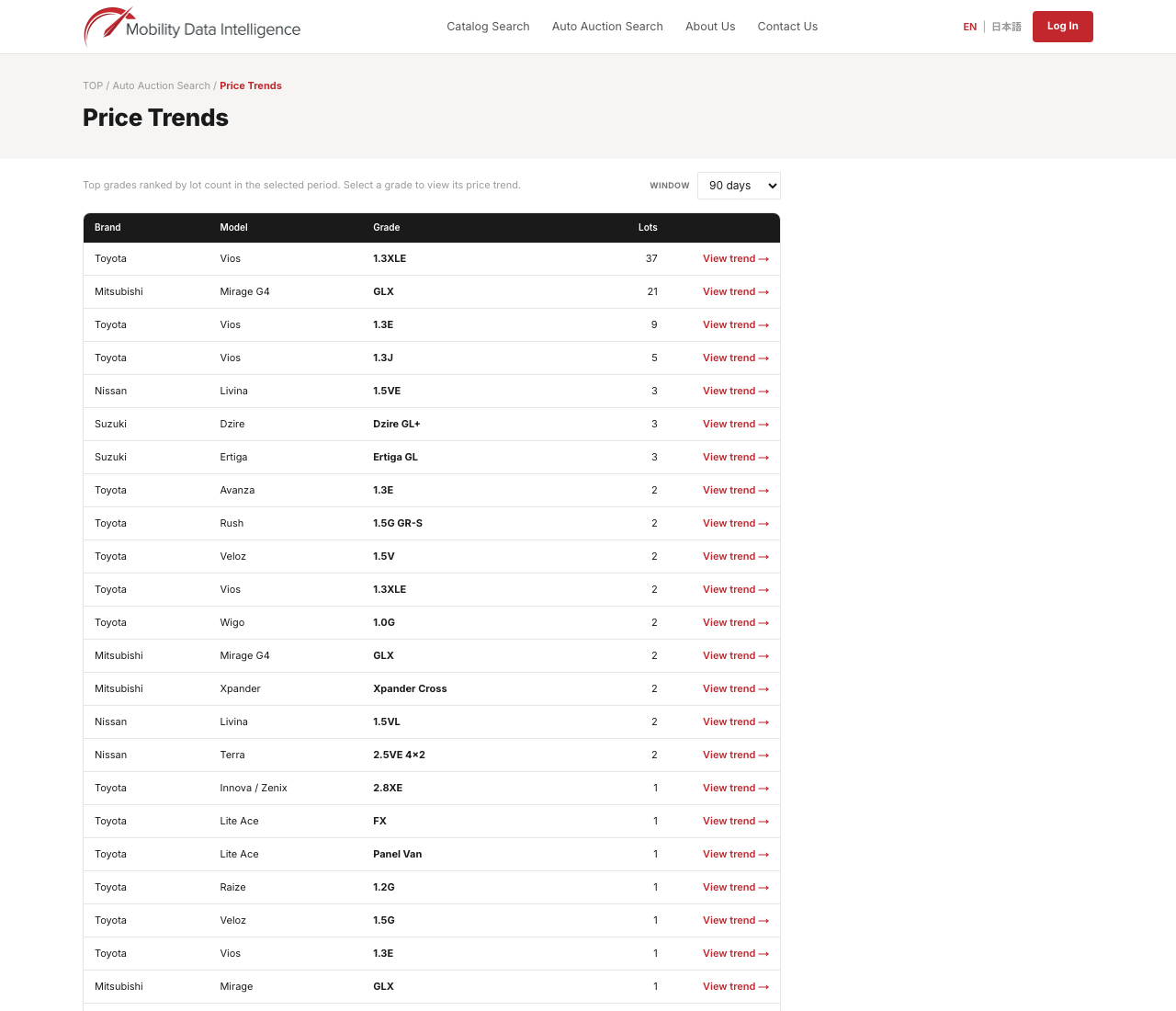
Follow price trendsStart from the price trends list — top grades by number of lots sold, open to everyone — then open a grade's detail chart for a monthly average with a 3-month moving average, price distribution by model year, and a comparison against the model average and brand average. (Members)
6
Export to CSVExport the lots matching your current search conditions to a CSV file. (Members)
Your Account and Signing In
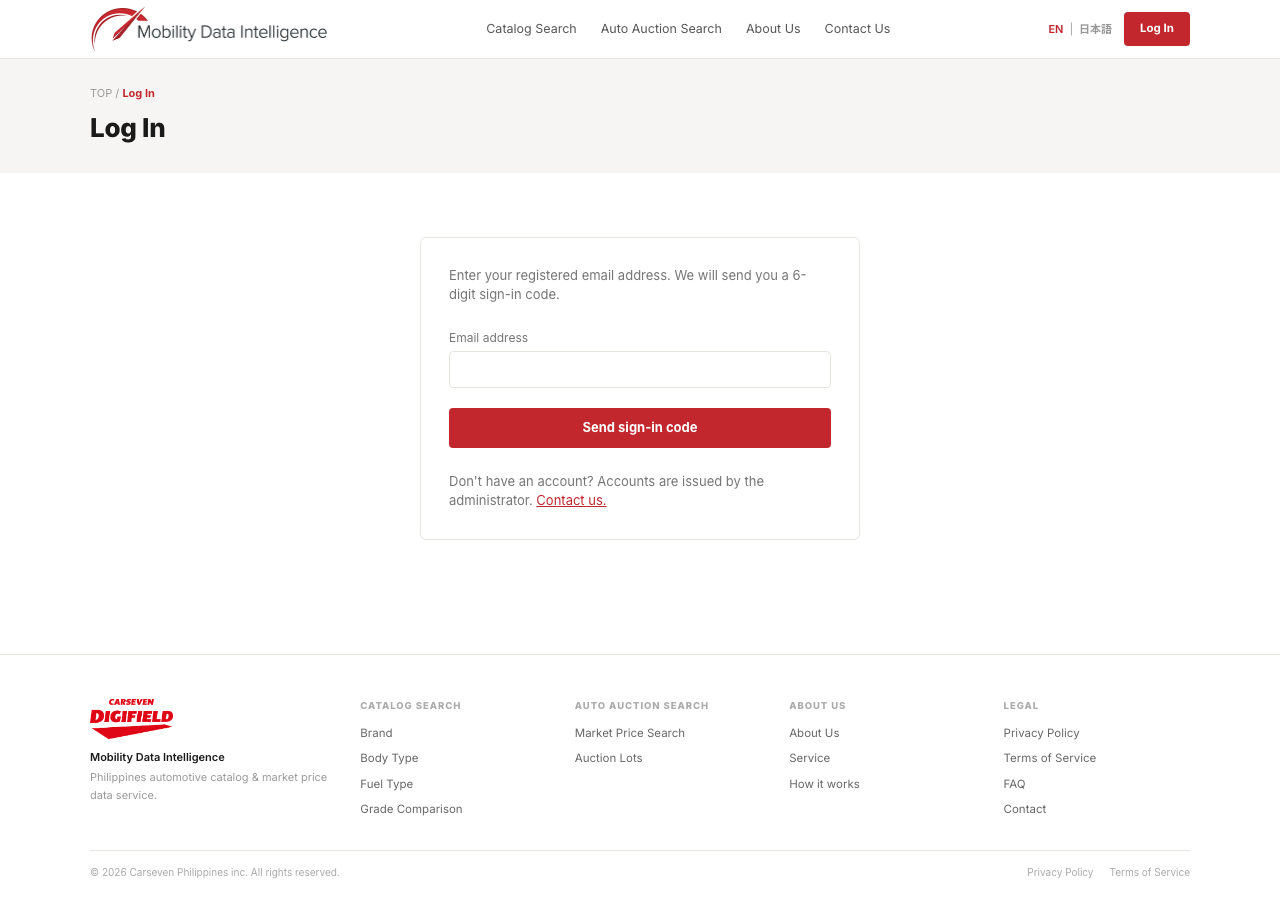
Accounts are issued by an administrator — there is no self-registration page. To request one, reach out through Contact Us.
1
Enter your email addressOn the login screen, enter the email address registered to your account, then request a sign-in code.
2
Enter the 6-digit codeEnter the 6-digit code sent to your email to sign in and reach the member area.
Member-only features
Grade detail pages, release-history tabs, grade comparison (up to 5), filtered results by body type / fuel / price range, detailed price trend charts, lot detail pages, and CSV export.
Open to everyone, no sign-in required
Browsing makers and models, auction market search, the auction events list, and the price trends list.
You can switch between English and Japanese at any time using the language button at the top right of the header.
Need help, or have a question this guide didn't answer? Contact Us →